It reads what’s in the photo.
Payment cards, passports and ID cards, driver’s licences, Social Security and national ID numbers, passwords, recovery codes, two-factor setup codes, bank and tax papers, insurance cards and boarding passes.

The card you photographed for a friend. Your passport for a booking. A screenshot of a password. PhotoSentinel reads your photos on your device, finds the sensitive ones, and locks the ones you choose in an encrypted vault.
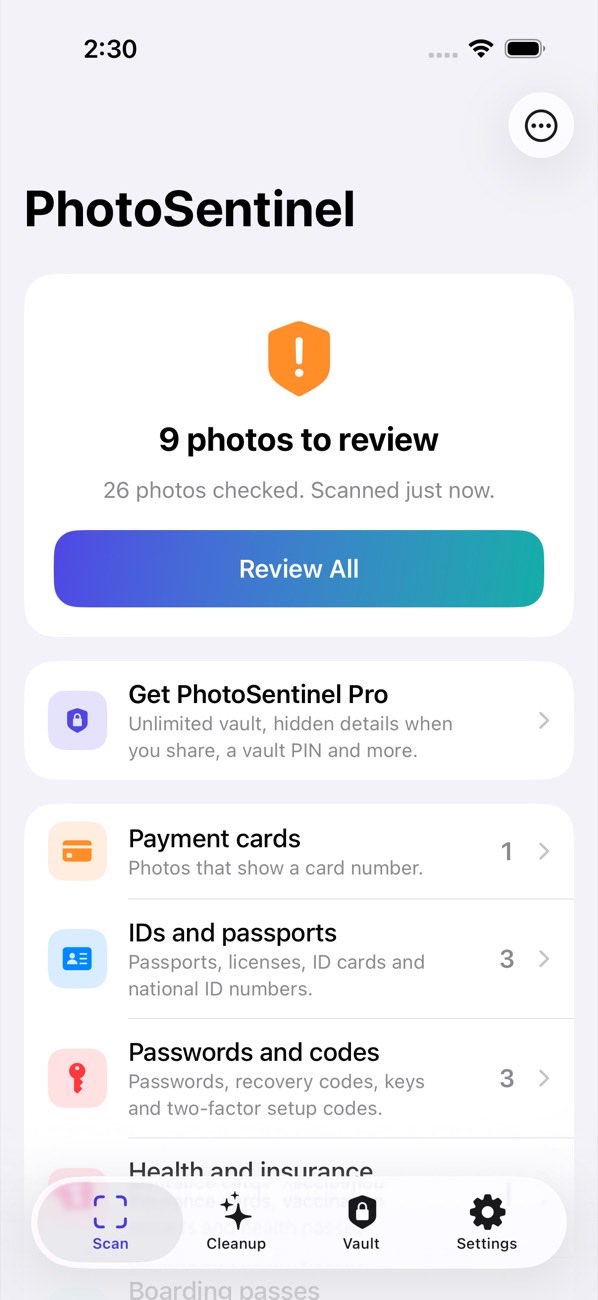
The scan is free and unlimited. Nothing is moved or deleted until you say so.
Payment cards, passports and ID cards, driver’s licences, Social Security and national ID numbers, passwords, recovery codes, two-factor setup codes, bank and tax papers, insurance cards and boarding passes.
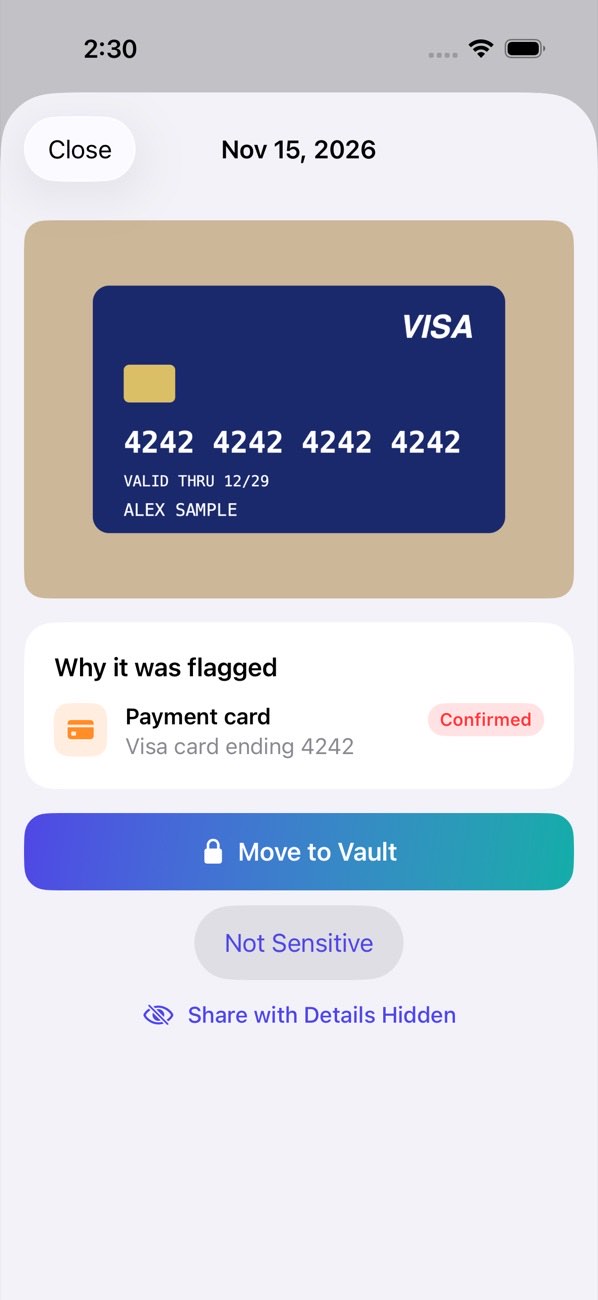
Every photo it flags comes with a reason, such as “Visa card ending 4242”, and how sure it is. You choose: lock it in the vault, or mark it as fine.
Photos and videos you move to the vault are encrypted with AES-256 and leave your camera roll. The vault opens with Face ID, and everything can be restored to Photos exactly as it was.
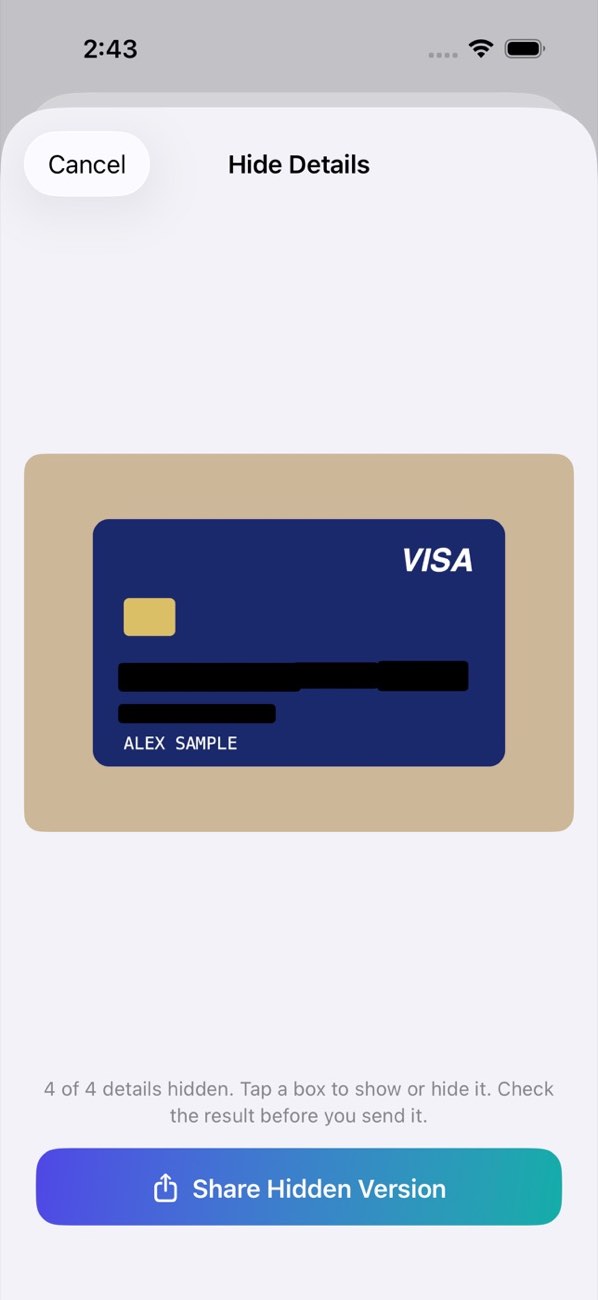 ACTUAL APP SCREEN · SAMPLE CARD
Need to send a document? Pro covers the card numbers, ID numbers, passwords and barcodes it can find, and shares a copy with them blacked out. Your original is untouched.
Pro is a subscription with a 7-day free trial on the yearly plan, or a one-time purchase. The scan, the review and exact-copy clean-up stay free.
PhotoSentinel has no server, no account, no analytics and no advertising. Your photos are read by iOS’s own text and barcode recognition, on your device. Read the privacy policy.
PhotoSentinel is being prepared for the App Store for iPhone and iPad. This page will link to it as soon as it’s available.
No. Scanning happens on your device, and the app has no server to send anything to. It works with no internet connection.
No. The scan only reads. A photo leaves your library only when you choose to move it to the vault or delete it in Cleanup, and iOS asks you to confirm each time. Deleted photos stay in Photos’ Recently Deleted album for 30 days.
It is stored encrypted inside the app with every file it came with, including a Live Photo’s motion. You can restore it to Photos at any time with its date, name, place, favourite mark and albums.
The vault exists only inside the app, so deleting PhotoSentinel deletes what is in it. Restore anything you want to keep first, or make a password-protected backup file (Pro) and keep it somewhere safe.
Face ID or Touch ID still opens the vault. From inside, you can change or remove the PIN under Protection.
Blurry or angled photos and handwriting can be missed, so a clean scan means nothing was recognised, not that nothing is there. If a photo is flagged that shouldn’t be, tap Not Sensitive and it stays out of your results.
In the Settings app, tap your name, then Subscriptions, then PhotoSentinel. Cancel at least 24 hours before the renewal date. If you cancel during the free trial you are not charged.
Tell us through the Playground contact page. Include your device, its iOS version and what happened, and we’ll get back to you.
PhotoSentinel is coming soon to iPhone and iPad.